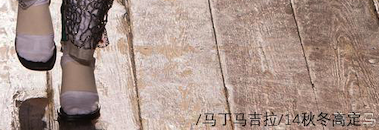
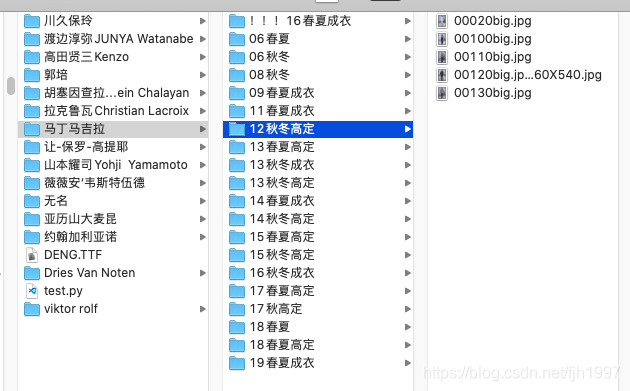
2020-05-06 2026-01-25 使用方法是将图片归类到文件夹下面,如图:将以下内容输入到一个文件中,放到最顶目录随便命名比如test.py 1234567891011121314151617181920212223242526272829import osimport traceback# -*- coding: utf-8 -*-from PIL import Image, ImageDraw, ImageFont def add_text_to_image(img,root): txt=Image.new('RGBA', img.size, (0,0,0,0)) fnt=ImageFont.truetype("DENG.TTF", 20) d=ImageDraw.Draw(txt) d.text((0,txt.size[1]-30), root,font=fnt, fill=(0,0,0,255)) out=Image.alpha_composite(img, txt) sav = out.convert("RGB") sav.save(os.path.join(root,file)) for root,dirs,files in os.walk('./'): for file in files: try: img=Image.open(os.path.join(root,file)).convert('RGBA') add_text_to_image(img,root) except Exception as e: print(os.path.join(root,file)) print(e) print(traceback.format_exc()) pass 安装依赖 1pip install pillow 运行 1python3 test.py 之后每张图片有如下效果,可以做标记用: 前一篇 x86_64平台下的ubuntu调试Mips并连接pwntools与gdb 后一篇 Macos在桌面上打开终端terminal
说些什么吧!